Home >>
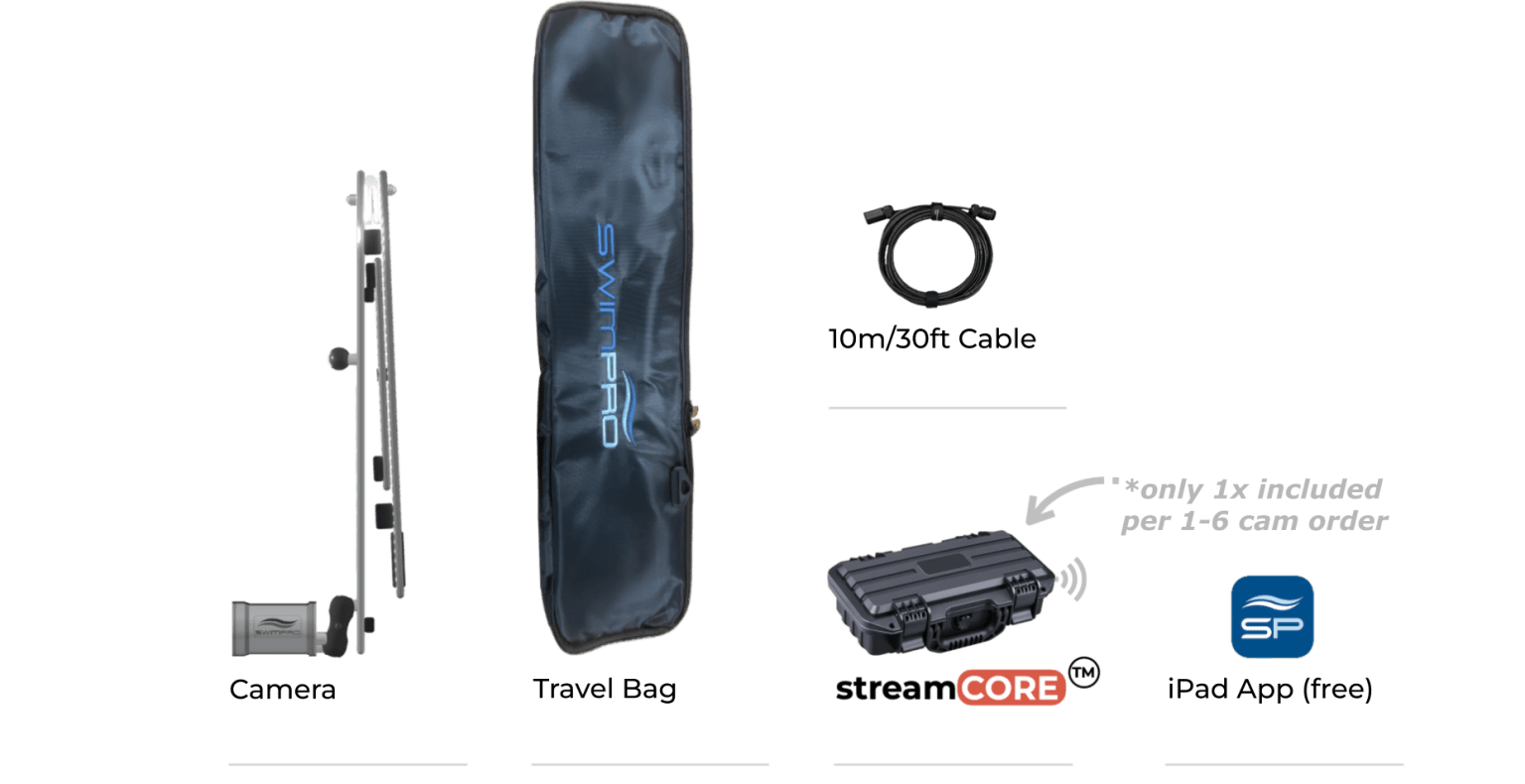
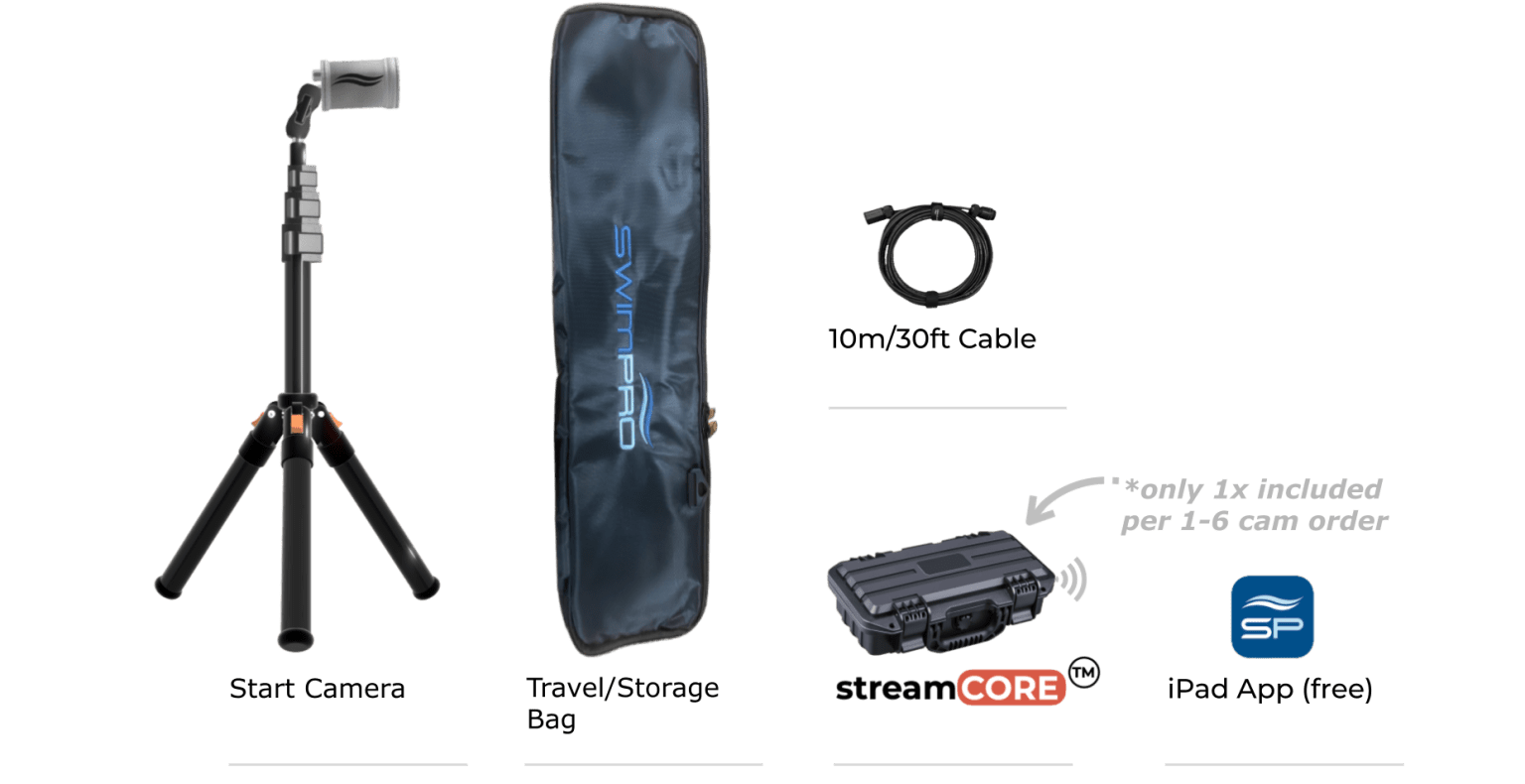
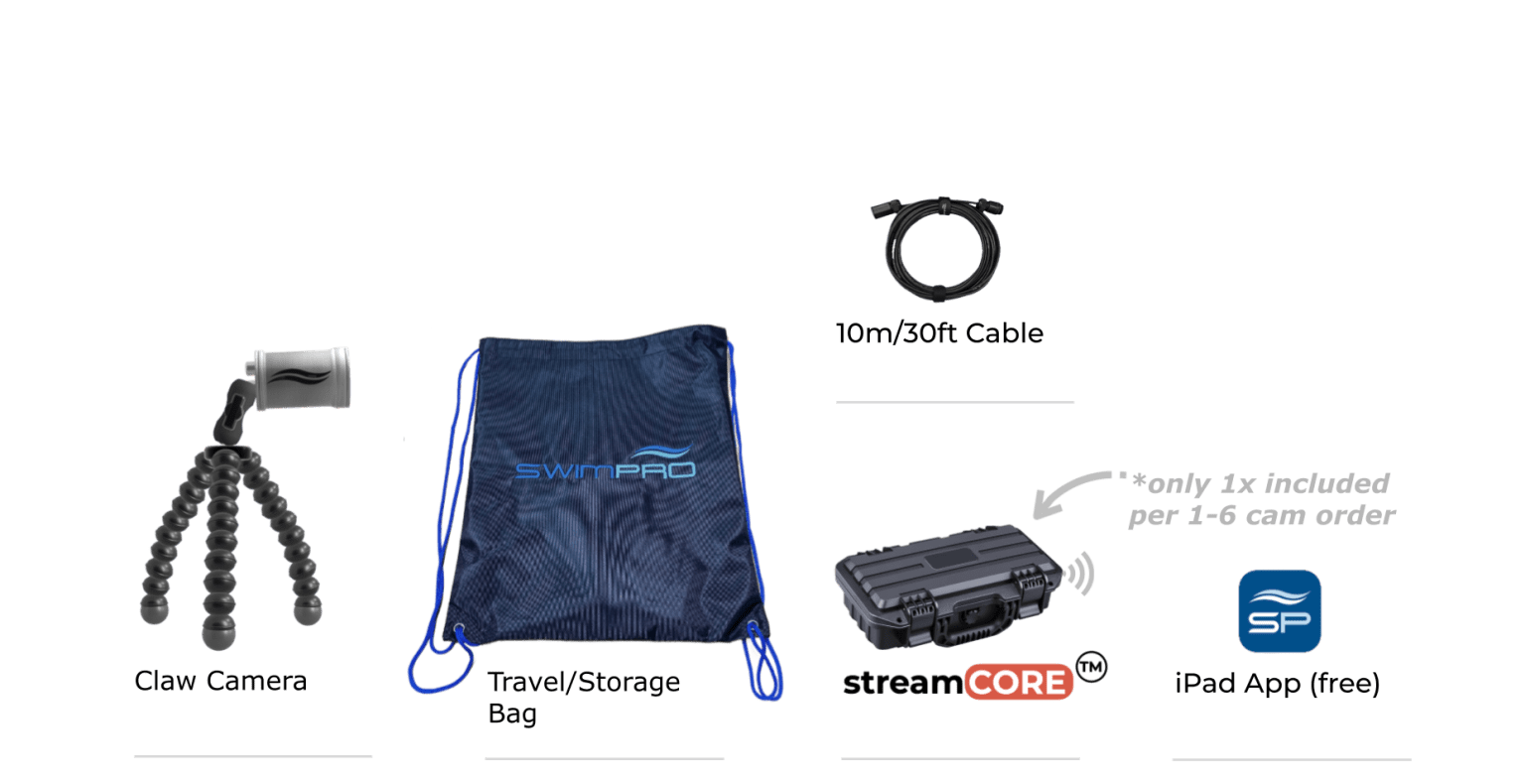
Need to know: Setup time: ~30 seconds | 10m/30ft cable included
Camera:
App:
Attachments:
ALL hardware & software included to unpack, turn on and operate
Question: Any ongoing fees?
A: No. We do not do subscriptions and ongoing payments. All costs are upfront.
Question: Do I need to buy anything else to make SwimPro work?
A. Just an iPad or Mac (M series). The rest is all included. SwimPro arrives at your club, unpack, connect the cams, connect your iPad to SwimPro wifi, open the SwimPro App, and you are up and running. Startup time of app can be less than 60 seconds (timed with a 2-camera package).
Question: How does the SwimPro streamCORE work?
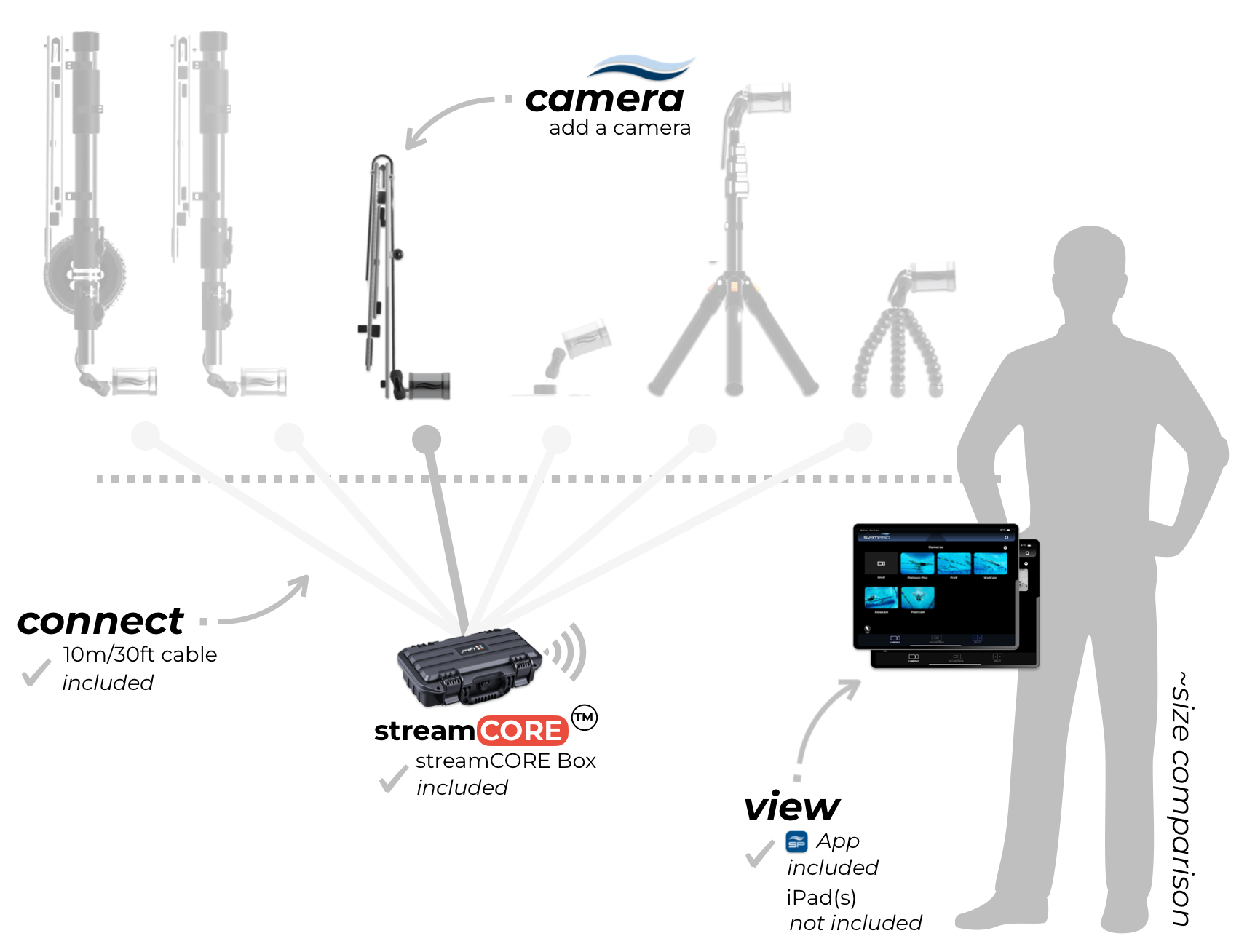
A. Grab a camera (or 2), plug it into the streamCORE. Power the streamCORE up with a standard USB C power bank (45W or greater rated). Connect to the SwimPro wifi. Open the SwimPro App and you are up and running.
Question: How long does SwimPro streamCORE run for?
A. streamCORE lasts around 5 hours for 1 camera, ~4 hours with 2 cameras & 3-4hours with 3 cameras, 2-3 hours with 4 cameras—using a 20,000 mAh USB-C power bank.
Want more run-time? Simply purchase another USB C power bank (45W or greater rated)— this will increase your run-time (run-time will double if you purchase another 20.000mAh USB-C power bank). Want to run all day? Plug your streamCORE into a USB-C power outlet.
With a 20,000mAh power bank, runtime for a 5 and 6 camera streamCORE package can be between 1 – 2 hours (depending on quality settings) — we recommend plugging into a USB-C mains power adapter or using multiple 20,000mAh (or greater) power banks.
Question: How many cameras can I stream at once on the app?
A. Currently 4 cameras on the same screen. You can connect up to 10 cameras on the app and create 1, 2, 3 or 4 multi-camera layouts. You can then FAST switch between these layouts. For example, layout 1 might be cameras 1, 2, 3 and 4. Layout 2 might be cameras 5, 6, 7 and 8. You can FAST switch between these two saved Multi views simply. Want more cameras on the screen at once, we highly recommend adding our SwimPro iQLab (check it out here).
Question: SwimPro wireless during competition and live streaming?
A. During competitions, you will have many spectators that can cause interference in wireless. If you plan to use the gear for competition and live streaming, we recommend using our streamCORE box or purchasing SwimPro cable for your camera(s).
Question: Do I need a TV?
A. Not required for SwimPro cameras and app. However, if you would like to cast with Apple TV (performance may vary), or plug the iPad directly into the TV, you will need a TV/monitor/large display.
A TV/monitor or display is required for our SwimPro iQLab.
Question: SwimPro camera lens underwater viewing angle?
A. To ensure clear analysis of swimmers and avoid fisheye distortion, which can render footage unusable, we use lenses with an approximate 100° above-water viewing angle or a 90° underwater viewing angle. Testing with Olympic teams showed that wider angles cause excessive distortion, making accurate analysis difficult.
For Endless Pools, limited side-viewing space can lead to unavoidable fisheye distortion when capturing a swimmer’s full length. To address this and minimize distortion, the Endless Pool package includes two side cameras that work together to analyze the front and back halves of swimmers effectively.
Question: What is the warranty?
A: We offer a full 12-month replacement warranty on all products. If there is an issue, get in touch, and we will fix the issue or replace the product. We have been in the market for 10+ years and have maintained a great relationship with our clients. We are in the performance game together.
Question: How can I best take care of my SwimPro product?
A: Store in the SwimPro Travel/Storage bags. Wash with fresh water after use.
Question: How do I order?
A: Simply Add to Cart (below) and follow the instructions. Your order will be placed with SwimPro. SwimPro will then be in touch to confirm your order and delivery address.
Question: SwimPro HS Code?
A. HS Code 85258030. If you have any further questions, please contact our support team at support@SwimPro.com.au. Happy to help.

This is your all-in-one swimming camera.
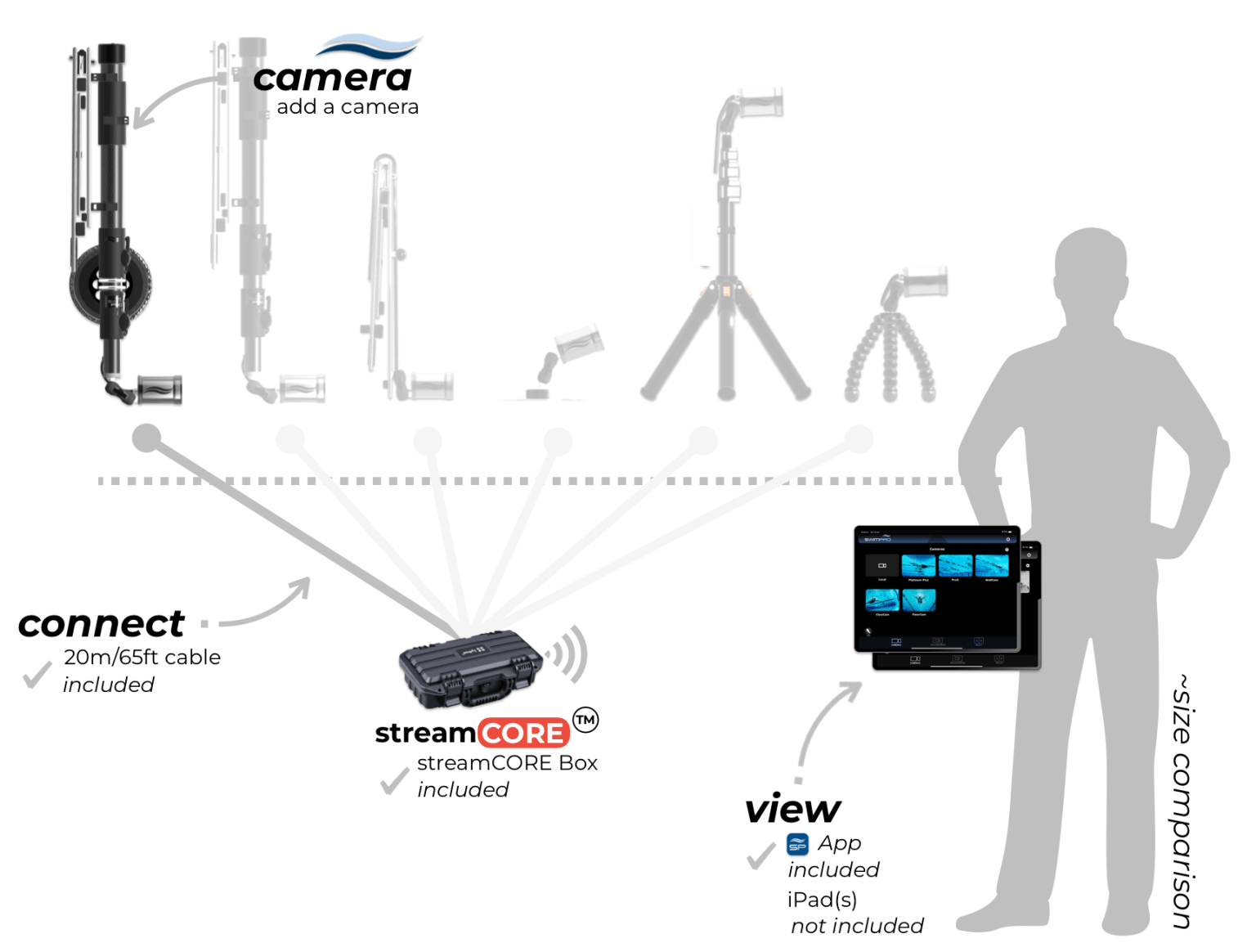
Need to know: Setup time: ~1min | recommend adding a Wireless Module – comes standard with 20m/65ft cable
Camera:
App:
Attachments:
ALL hardware & software included to unpack, turn on and operate
Question: Any ongoing fees?
A: No. We do not do subscriptions and ongoing payments. All costs are upfront.
Question: Do I need to buy anything else to make SwimPro work?
A. Just an iPad or Mac (M series). The rest is all included. SwimPro arrives at your club, unpack, connect the cams, connect your iPad to SwimPro wifi, open the SwimPro App, and you are up and running. Startup time of app can be less than 60 seconds (timed with a 2-camera package).
Question: How does the SwimPro streamCORE work?
A. Grab a camera (or 2), plug it into the streamCORE. Power the streamCORE up with a standard USB C power bank (45W or greater rated). Connect to the SwimPro wifi. Open the SwimPro App and you are up and running.
Question: How long does SwimPro streamCORE run for?
A. streamCORE lasts around 5 hours for 1 camera, ~4 hours with 2 cameras & 3-4hours with 3 cameras, 2-3 hours with 4 cameras—using a 20,000 mAh USB-C power bank.
Want more run-time? Simply purchase another USB C power bank (45W or greater rated)— this will increase your run-time (run-time will double if you purchase another 20.000mAh USB-C power bank). Want to run all day? Plug your streamCORE into a USB-C power outlet.
With a 20,000mAh power bank, runtime for a 5 and 6 camera streamCORE package can be between 1 – 2 hours (depending on quality settings) — we recommend plugging into a USB-C mains power adapter or using multiple 20,000mAh (or greater) power banks.
Question: How many cameras can I stream at once on the app?
A. Currently 4 cameras on the same screen. You can connect up to 10 cameras on the app and create 1, 2, 3 or 4 multi-camera layouts. You can then FAST switch between these layouts. For example, layout 1 might be cameras 1, 2, 3 and 4. Layout 2 might be cameras 5, 6, 7 and 8. You can FAST switch between these two saved Multi views simply. Want more cameras on the screen at once, we highly recommend adding our SwimPro iQLab (check it out here).
Question: SwimPro wireless during competition and live streaming?
A. During competitions, you will have many spectators that can cause interference in wireless. If you plan to use the gear for competition and live streaming, we recommend using our streamCORE box or purchasing SwimPro cable for your camera(s).
Question: Do I need a TV?
A. Not required for SwimPro cameras and app. However, if you would like to cast with Apple TV (performance may vary), or plug the iPad directly into the TV, you will need a TV/monitor/large display.
A TV/monitor or display is required for our SwimPro iQLab.
Question: SwimPro camera lens underwater viewing angle?
A. To ensure clear analysis of swimmers and avoid fisheye distortion, which can render footage unusable, we use lenses with an approximate 100° above-water viewing angle or a 90° underwater viewing angle. Testing with Olympic teams showed that wider angles cause excessive distortion, making accurate analysis difficult.
For Endless Pools, limited side-viewing space can lead to unavoidable fisheye distortion when capturing a swimmer’s full length. To address this and minimize distortion, the Endless Pool package includes two side cameras that work together to analyze the front and back halves of swimmers effectively.
Question: What is the warranty?
A: We offer a full 12-month replacement warranty on all products. If there is an issue, get in touch, and we will fix the issue or replace the product. We have been in the market for 10+ years and have maintained a great relationship with our clients. We are in the performance game together.
Question: How can I best take care of my SwimPro product?
A: Store in the SwimPro Travel/Storage bags. Wash with fresh water after use.
Question: How do I order?
A: Simply Add to Cart (below) and follow the instructions. Your order will be placed with SwimPro. SwimPro will then be in touch to confirm your order and delivery address.
Question: SwimPro HS Code?
A. HS Code 85258030. If you have any further questions, please contact our support team at support@SwimPro.com.au. Happy to help.
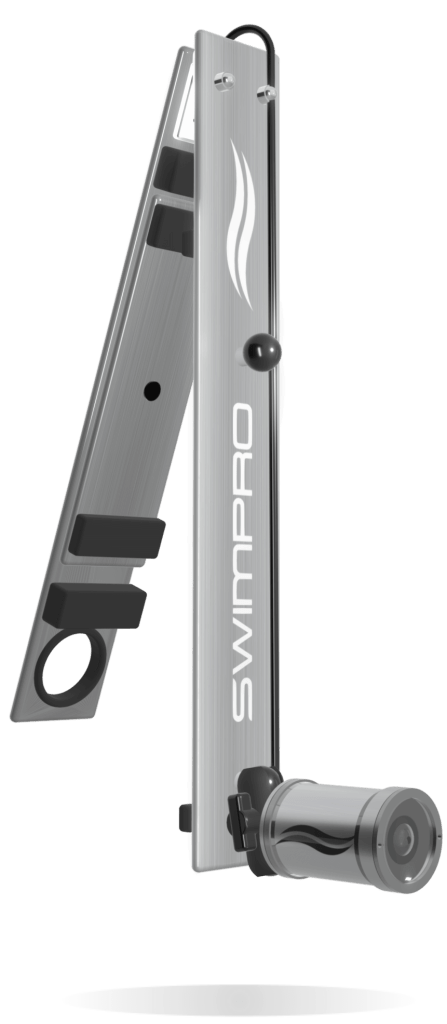
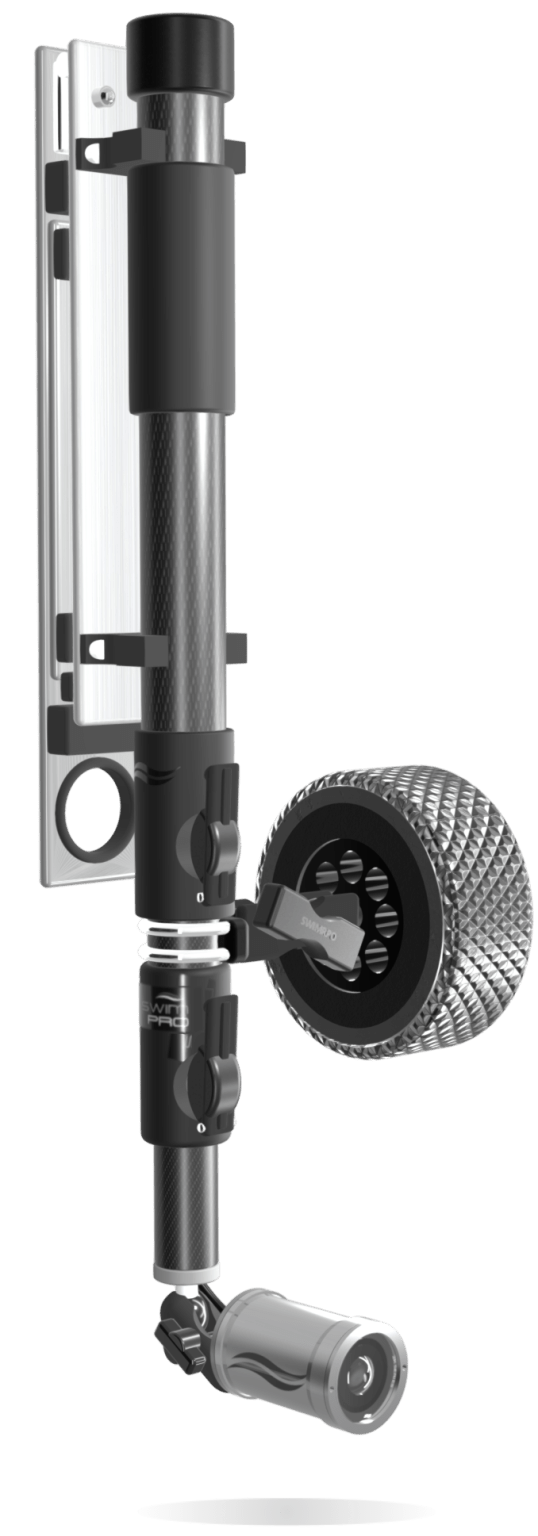
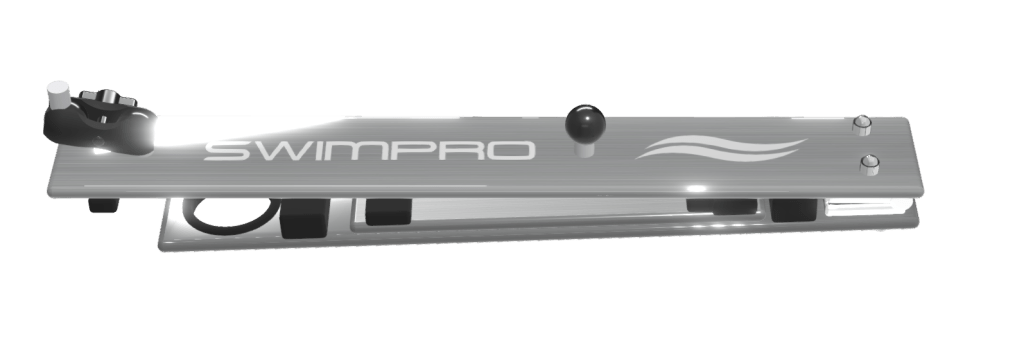
An extendable lightweight telescopic pole also allows for deep underwater video — no details will be missed. Clip the pole into the SwimPro Static Wall bracket, and the Camera performs as a pannable static wall camera. The SwimPro Wall Bracket pole clips allow you to rotate the telescopic pole on a single axis for stable video panning.
Need to know: Setup time: ~1min | comes standard with 20m/65ft cable
Camera:
App:
Attachments:
ALL hardware & software included to unpack, turn on and operate
Question: Any ongoing fees?
A: No. We do not do subscriptions and ongoing payments. All costs are upfront.
Question: Do I need to buy anything else to make SwimPro work?
A. Just an iPad or Mac (M series). The rest is all included. SwimPro arrives at your club, unpack, connect the cams, connect your iPad to SwimPro wifi, open the SwimPro App, and you are up and running. Startup time of app can be less than 60 seconds (timed with a 2-camera package).
Question: How does the SwimPro streamCORE work?
A. Grab a camera (or 2), plug it into the streamCORE. Power the streamCORE up with a standard USB C power bank (45W or greater rated). Connect to the SwimPro wifi. Open the SwimPro App and you are up and running.
Question: How long does SwimPro streamCORE run for?
A. streamCORE lasts around 5 hours for 1 camera, ~4 hours with 2 cameras & 3-4hours with 3 cameras, 2-3 hours with 4 cameras—using a 20,000 mAh USB-C power bank.
Want more run-time? Simply purchase another USB C power bank (45W or greater rated)— this will increase your run-time (run-time will double if you purchase another 20.000mAh USB-C power bank). Want to run all day? Plug your streamCORE into a USB-C power outlet.
With a 20,000mAh power bank, runtime for a 5 and 6 camera streamCORE package can be between 1 – 2 hours (depending on quality settings) — we recommend plugging into a USB-C mains power adapter or using multiple 20,000mAh (or greater) power banks.
Question: How many cameras can I stream at once on the app?
A. Currently 4 cameras on the same screen. You can connect up to 10 cameras on the app and create 1, 2, 3 or 4 multi-camera layouts. You can then FAST switch between these layouts. For example, layout 1 might be cameras 1, 2, 3 and 4. Layout 2 might be cameras 5, 6, 7 and 8. You can FAST switch between these two saved Multi views simply. Want more cameras on the screen at once, we highly recommend adding our SwimPro iQLab (check it out here).
Question: SwimPro wireless during competition and live streaming?
A. During competitions, you will have many spectators that can cause interference in wireless. If you plan to use the gear for competition and live streaming, we recommend using our streamCORE box or purchasing SwimPro cable for your camera(s).
Question: Do I need a TV?
A. Not required for SwimPro cameras and app. However, if you would like to cast with Apple TV (performance may vary), or plug the iPad directly into the TV, you will need a TV/monitor/large display.
A TV/monitor or display is required for our SwimPro iQLab.
Question: SwimPro camera lens underwater viewing angle?
A. To ensure clear analysis of swimmers and avoid fisheye distortion, which can render footage unusable, we use lenses with an approximate 100° above-water viewing angle or a 90° underwater viewing angle. Testing with Olympic teams showed that wider angles cause excessive distortion, making accurate analysis difficult.
For Endless Pools, limited side-viewing space can lead to unavoidable fisheye distortion when capturing a swimmer’s full length. To address this and minimize distortion, the Endless Pool package includes two side cameras that work together to analyze the front and back halves of swimmers effectively.
Question: What is the warranty?
A: We offer a full 12-month replacement warranty on all products. If there is an issue, get in touch, and we will fix the issue or replace the product. We have been in the market for 10+ years and have maintained a great relationship with our clients. We are in the performance game together.
Question: How can I best take care of my SwimPro product?
A: Store in the SwimPro Travel/Storage bags. Wash with fresh water after use.
Question: How do I order?
A: Simply Add to Cart (below) and follow the instructions. Your order will be placed with SwimPro. SwimPro will then be in touch to confirm your order and delivery address.
Question: SwimPro HS Code?
A. HS Code 85258030. If you have any further questions, please contact our support team at support@SwimPro.com.au. Happy to help.
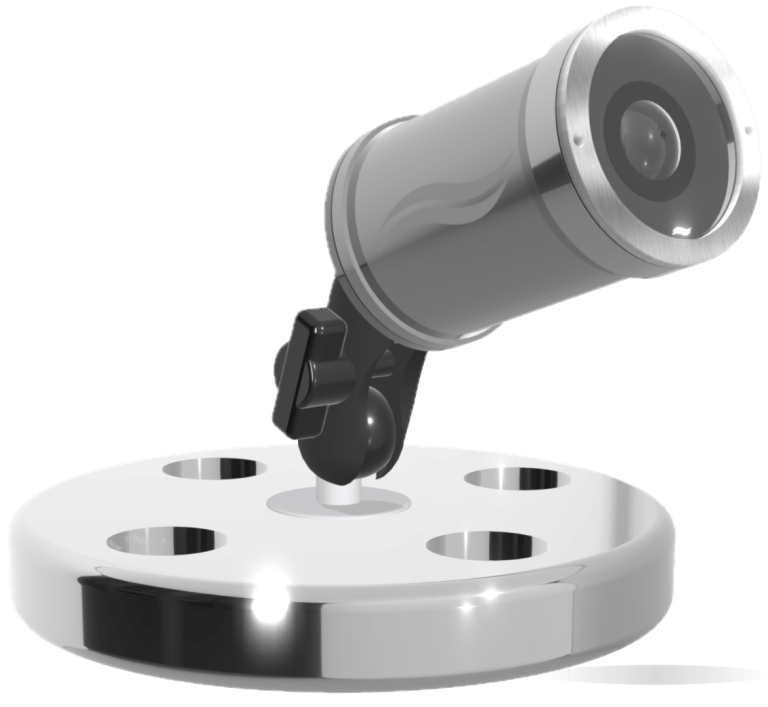
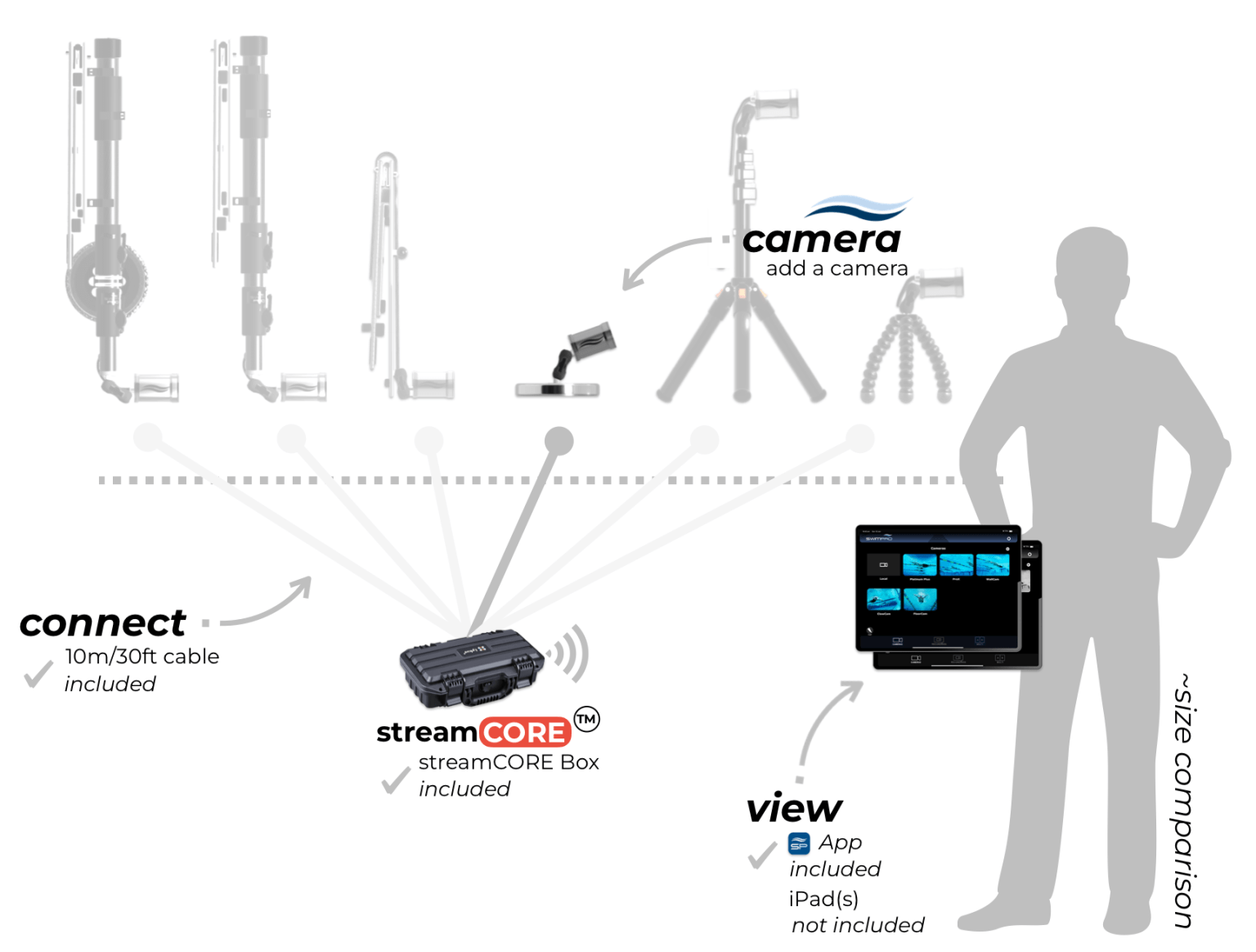
The combination of the weighted base and wireless SwimPro 2K camera gives you access to hidden swimming insights deep from the pool floor. Choose your location, set your angle, plug it in to the streamCORE, and you have live streaming video from the pool floor.
Need to know: Setup time: ~2min – swimmer required to set location and angle
Camera:
App:
Attachments:
ALL hardware & software included to unpack, turn on and operate
Question: Any ongoing fees?
A: No. We do not do subscriptions and ongoing payments. All costs are upfront.
Question: Do I need to buy anything else to make SwimPro work?
A. Just an iPad or Mac (M series). The rest is all included. SwimPro arrives at your club, unpack, connect the cams, connect your iPad to SwimPro wifi, open the SwimPro App, and you are up and running. Startup time of app can be less than 60 seconds (timed with a 2-camera package).
Question: How does the SwimPro streamCORE work?
A. Grab a camera (or 2), plug it into the streamCORE. Power the streamCORE up with a standard USB C power bank (45W or greater rated). Connect to the SwimPro wifi. Open the SwimPro App and you are up and running.
Question: How long does SwimPro streamCORE run for?
A. streamCORE lasts around 5 hours for 1 camera, ~4 hours with 2 cameras & 3-4hours with 3 cameras, 2-3 hours with 4 cameras—using a 20,000 mAh USB-C power bank.
Want more run-time? Simply purchase another USB C power bank (45W or greater rated)— this will increase your run-time (run-time will double if you purchase another 20.000mAh USB-C power bank). Want to run all day? Plug your streamCORE into a USB-C power outlet.
With a 20,000mAh power bank, runtime for a 5 and 6 camera streamCORE package can be between 1 – 2 hours (depending on quality settings) — we recommend plugging into a USB-C mains power adapter or using multiple 20,000mAh (or greater) power banks.
Question: How many cameras can I stream at once on the app?
A. Currently 4 cameras on the same screen. You can connect up to 10 cameras on the app and create 1, 2, 3 or 4 multi-camera layouts. You can then FAST switch between these layouts. For example, layout 1 might be cameras 1, 2, 3 and 4. Layout 2 might be cameras 5, 6, 7 and 8. You can FAST switch between these two saved Multi views simply. Want more cameras on the screen at once, we highly recommend adding our SwimPro iQLab (check it out here).
Question: SwimPro wireless during competition and live streaming?
A. During competitions, you will have many spectators that can cause interference in wireless. If you plan to use the gear for competition and live streaming, we recommend using our streamCORE box or purchasing SwimPro cable for your camera(s).
Question: Do I need a TV?
A. Not required for SwimPro cameras and app. However, if you would like to cast with Apple TV (performance may vary), or plug the iPad directly into the TV, you will need a TV/monitor/large display.
A TV/monitor or display is required for our SwimPro iQLab.
Question: SwimPro camera lens underwater viewing angle?
A. To ensure clear analysis of swimmers and avoid fisheye distortion, which can render footage unusable, we use lenses with an approximate 100° above-water viewing angle or a 90° underwater viewing angle. Testing with Olympic teams showed that wider angles cause excessive distortion, making accurate analysis difficult.
For Endless Pools, limited side-viewing space can lead to unavoidable fisheye distortion when capturing a swimmer’s full length. To address this and minimize distortion, the Endless Pool package includes two side cameras that work together to analyze the front and back halves of swimmers effectively.
Question: What is the warranty?
A: We offer a full 12-month replacement warranty on all products. If there is an issue, get in touch, and we will fix the issue or replace the product. We have been in the market for 10+ years and have maintained a great relationship with our clients. We are in the performance game together.
Question: How can I best take care of my SwimPro product?
A: Store in the SwimPro Travel/Storage bags. Wash with fresh water after use.
Question: How do I order?
A: Simply Add to Cart (below) and follow the instructions. Your order will be placed with SwimPro. SwimPro will then be in touch to confirm your order and delivery address.
Question: SwimPro HS Code?
A. HS Code 85258030. If you have any further questions, please contact our support team at support@SwimPro.com.au. Happy to help.
Need to know: Setup time: ~1min
Camera:
App:
Attachments:
ALL hardware & software included to unpack, turn on and operate
Question: Any ongoing fees?
A: No. We do not do subscriptions and ongoing payments. All costs are upfront.
Question: Do I need to buy anything else to make SwimPro work?
A. Just an iPad or Mac (M series). The rest is all included. SwimPro arrives at your club, unpack, connect the cams, connect your iPad to SwimPro wifi, open the SwimPro App, and you are up and running. Startup time of app can be less than 60 seconds (timed with a 2-camera package).
Question: How does the SwimPro streamCORE work?
A. Grab a camera (or 2), plug it into the streamCORE. Power the streamCORE up with a standard USB C power bank (45W or greater rated). Connect to the SwimPro wifi. Open the SwimPro App and you are up and running.
Question: How long does SwimPro streamCORE run for?
A. streamCORE lasts around 5 hours for 1 camera, ~4 hours with 2 cameras & 3-4hours with 3 cameras, 2-3 hours with 4 cameras—using a 20,000 mAh USB-C power bank.
Want more run-time? Simply purchase another USB C power bank (45W or greater rated)— this will increase your run-time (run-time will double if you purchase another 20.000mAh USB-C power bank). Want to run all day? Plug your streamCORE into a USB-C power outlet.
With a 20,000mAh power bank, runtime for a 5 and 6 camera streamCORE package can be between 1 – 2 hours (depending on quality settings) — we recommend plugging into a USB-C mains power adapter or using multiple 20,000mAh (or greater) power banks.
Question: How many cameras can I stream at once on the app?
A. Currently 4 cameras on the same screen. You can connect up to 10 cameras on the app and create 1, 2, 3 or 4 multi-camera layouts. You can then FAST switch between these layouts. For example, layout 1 might be cameras 1, 2, 3 and 4. Layout 2 might be cameras 5, 6, 7 and 8. You can FAST switch between these two saved Multi views simply. Want more cameras on the screen at once, we highly recommend adding our SwimPro iQLab (check it out here).
Question: SwimPro wireless during competition and live streaming?
A. During competitions, you will have many spectators that can cause interference in wireless. If you plan to use the gear for competition and live streaming, we recommend using our streamCORE box or purchasing SwimPro cable for your camera(s).
Question: Do I need a TV?
A. Not required for SwimPro cameras and app. However, if you would like to cast with Apple TV (performance may vary), or plug the iPad directly into the TV, you will need a TV/monitor/large display.
A TV/monitor or display is required for our SwimPro iQLab.
Question: SwimPro camera lens underwater viewing angle?
A. To ensure clear analysis of swimmers and avoid fisheye distortion, which can render footage unusable, we use lenses with an approximate 100° above-water viewing angle or a 90° underwater viewing angle. Testing with Olympic teams showed that wider angles cause excessive distortion, making accurate analysis difficult.
For Endless Pools, limited side-viewing space can lead to unavoidable fisheye distortion when capturing a swimmer’s full length. To address this and minimize distortion, the Endless Pool package includes two side cameras that work together to analyze the front and back halves of swimmers effectively.
Question: What is the warranty?
A: We offer a full 12-month replacement warranty on all products. If there is an issue, get in touch, and we will fix the issue or replace the product. We have been in the market for 10+ years and have maintained a great relationship with our clients. We are in the performance game together.
Question: How can I best take care of my SwimPro product?
A: Store in the SwimPro Travel/Storage bags. Wash with fresh water after use.
Question: How do I order?
A: Simply Add to Cart (below) and follow the instructions. Your order will be placed with SwimPro. SwimPro will then be in touch to confirm your order and delivery address.
Question: SwimPro HS Code?
A. HS Code 85258030. If you have any further questions, please contact our support team at support@SwimPro.com.au. Happy to help.
Need to know: Setup time: ~1min
Camera:
App:
Attachments:
ALL hardware & software included to unpack, turn on and operate
Question: Any ongoing fees?
A: No. We do not do subscriptions and ongoing payments. All costs are upfront.
Question: Do I need to buy anything else to make SwimPro work?
A. Just an iPad or Mac (M series). The rest is all included. SwimPro arrives at your club, unpack, connect the cams, connect your iPad to SwimPro wifi, open the SwimPro App, and you are up and running. Startup time of app can be less than 60 seconds (timed with a 2-camera package).
Question: How does the SwimPro streamCORE work?
A. Grab a camera (or 2), plug it into the streamCORE. Power the streamCORE up with a standard USB C power bank (45W or greater rated). Connect to the SwimPro wifi. Open the SwimPro App and you are up and running.
Question: How long does SwimPro streamCORE run for?
A. streamCORE lasts around 5 hours for 1 camera, ~4 hours with 2 cameras & 3-4hours with 3 cameras, 2-3 hours with 4 cameras—using a 20,000 mAh USB-C power bank.
Want more run-time? Simply purchase another USB C power bank (45W or greater rated)— this will increase your run-time (run-time will double if you purchase another 20.000mAh USB-C power bank). Want to run all day? Plug your streamCORE into a USB-C power outlet.
With a 20,000mAh power bank, runtime for a 5 and 6 camera streamCORE package can be between 1 – 2 hours (depending on quality settings) — we recommend plugging into a USB-C mains power adapter or using multiple 20,000mAh (or greater) power banks.
Question: How many cameras can I stream at once on the app?
A. Currently 4 cameras on the same screen. You can connect up to 10 cameras on the app and create 1, 2, 3 or 4 multi-camera layouts. You can then FAST switch between these layouts. For example, layout 1 might be cameras 1, 2, 3 and 4. Layout 2 might be cameras 5, 6, 7 and 8. You can FAST switch between these two saved Multi views simply. Want more cameras on the screen at once, we highly recommend adding our SwimPro iQLab (check it out here).
Question: SwimPro wireless during competition and live streaming?
A. During competitions, you will have many spectators that can cause interference in wireless. If you plan to use the gear for competition and live streaming, we recommend using our streamCORE box or purchasing SwimPro cable for your camera(s).
Question: Do I need a TV?
A. Not required for SwimPro cameras and app. However, if you would like to cast with Apple TV (performance may vary), or plug the iPad directly into the TV, you will need a TV/monitor/large display.
A TV/monitor or display is required for our SwimPro iQLab.
Question: SwimPro camera lens underwater viewing angle?
A. To ensure clear analysis of swimmers and avoid fisheye distortion, which can render footage unusable, we use lenses with an approximate 100° above-water viewing angle or a 90° underwater viewing angle. Testing with Olympic teams showed that wider angles cause excessive distortion, making accurate analysis difficult.
For Endless Pools, limited side-viewing space can lead to unavoidable fisheye distortion when capturing a swimmer’s full length. To address this and minimize distortion, the Endless Pool package includes two side cameras that work together to analyze the front and back halves of swimmers effectively.
Question: What is the warranty?
A: We offer a full 12-month replacement warranty on all products. If there is an issue, get in touch, and we will fix the issue or replace the product. We have been in the market for 10+ years and have maintained a great relationship with our clients. We are in the performance game together.
Question: How can I best take care of my SwimPro product?
A: Store in the SwimPro Travel/Storage bags. Wash with fresh water after use.
Question: How do I order?
A: Simply Add to Cart (below) and follow the instructions. Your order will be placed with SwimPro. SwimPro will then be in touch to confirm your order and delivery address.
Question: SwimPro HS Code?
A. HS Code 85258030. If you have any further questions, please contact our support team at support@SwimPro.com.au. Happy to help.
Wireless transmission and video reliability cannot be guaranteed, as wireless performance varies by venue and depends on available bandwidth.
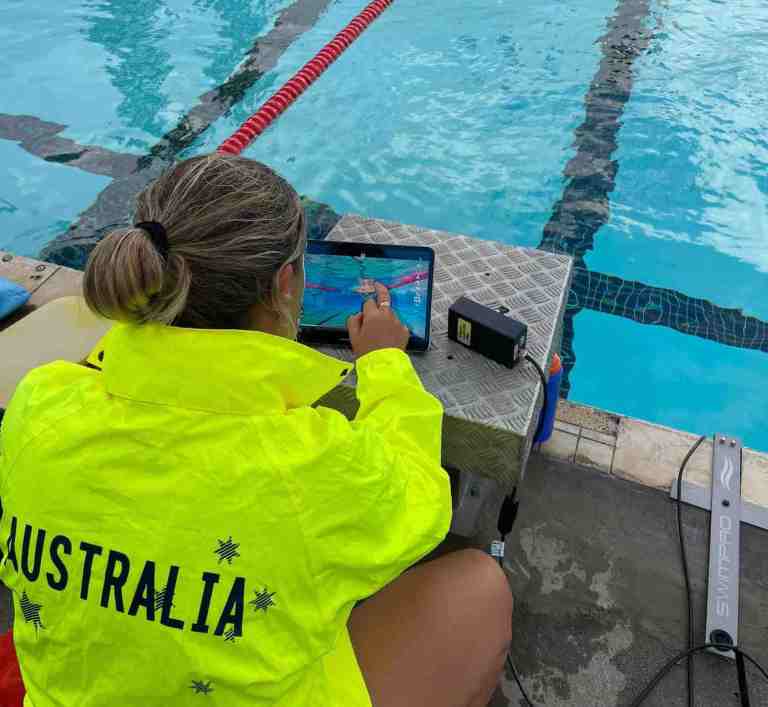
Every SwimPro camera includes a 10m cable (+10m cable extensions can be purchased seperately) as a reliable backup for consistent connectivity when needed.
Every SwimPro camera includes a 10m/30ft cable.
Add up to 2 x 10m/30ft extension cables to make a total of 30m/90ft of cable.